
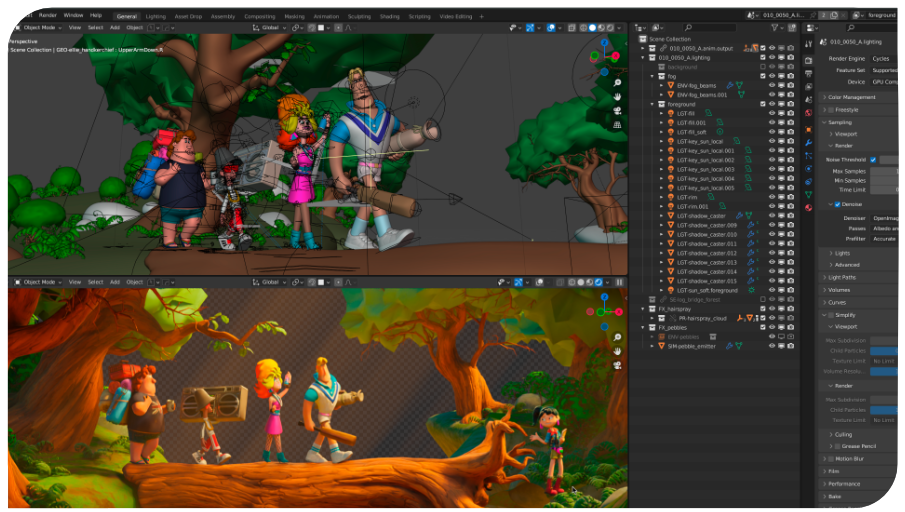
pixeltrain’s Academy
You are looking for an online course for your Blender or Godot Engine Learning Path with a well structured curriculum and at the same time you need it to be flexible and want it to have a self-paced learning environment? With our modular course system you build your own learning path tailored to your needs but you will never get lost in it, since Helge Maus will always be on your side!
Helge Maus presents all of his online-classes LIVE! If you take part, you can work along actively and are also invited to ask your questions. You get to know your comrades and share your thoughts and experience. We will always record these sessions, which you can then download and keep forever!
pixeltrain’s Academy is characterized by small learning groups, well-structured units with keeping space to meet the needs of each individual. All sessions are held live by Senior 3D & VFX trainer Helge Maus. Professional and Personal – these are the keys of pixeltrain’s Academy!
If you have questions about your learning path, about the modules or you want to sign up, please write to Helge info(at)pixeltrain.net . Looking forward to reading from you soon!
So here is the framework of pixeltrain’s academy at a glance:
What it includes
- Live sessions + downloadable recordings of each session
- Exercises + feedback
- Private discord channel for the students
- Each module consists of 4 live sessions with a total length of 16 hours (4 x 4 hours).
- Each module takes two weeks with two sessions each week (Saturday + Sunday)
Price
One module costs 750 Euro (+ 20% VAT, if you do not have a UID of the EU). To be paid in advance via Patreon Shop, PayPal or BankTransfer (Germany / Austria).
One module corresponds to one topic, for example Blender Fundamentals, Blender Animation, or Godot Fundamentals.
Please see the description of the various pixeltrain’s Academy modules below.
Contact & registration
email to info(at)pixeltrain.net
Choose your course module
>> Level A: From Beginner to Intermediate
Our Level A-Modules are for beginners or students coming from other 3d or game dev applications to learn Blender or Godot, its paradigms and workflows from the ground up.
>> Level B: From Intermediate to Expert
You want to dive deeper into the Blender world? You want to specialize in an area? Our Level B is right for you.
__
Module B01
Blender HardSurface Modeling
for Games & VFX
🇬🇧
Next Start:
December 2026
__
__
Module B03
Blender Rigging for Technical and Organic Models
🇬🇧
Next Start:
January 2027
__
__
Module B02
Blender Procedural Setups
with Geometry Nodes
🇬🇧
Next Start:
December 2026
__
__
Module B04
Blender for Architects
🇬🇧
Next Start:
January 2027
__
Content of Modules
Blender Fundamentals (Module A01 🇬🇧)
Session One: Interface, Scene Organisation, Workflows
Session Two: Polygon-Modelling, Modifiers, Sub-D
Session Three: Lighting, Shading & Materials
Session Four: Rendering with Cycles & EEVEE
Blender Shading & Rendering (Module A02 🇬🇧)
Session One: Cycles Deep Dive: View-Layers, AOVs, Micropolygonic Displacement
Session Two: Photorealistic PBR-Shaders, Photographic Lightening & Camera
Session Three: Complex Shader Networks, EEVEE Deep Dive,
Session Four: NPR (non-photorealistic rendering, freestyle), Cellshading
Blender Animation System (Module A03 🇬🇧)
Session One: Animation-Concepts, Timeline, Keyframes & Sets
Session Two: Dopesheet, Graph Editor & Animation Principles
Session Three: Rigging Introduction, Working with predefined rigs, Poses, Shape-Keys,
Session Four: Actions & NLA Editor
Godot – Fundamentals of 2D Game Development (Module A01 🇬🇧)
- Get to know Godot as a feature-rich 2D & 3D game engine, as well as the basics of 2D & 3D game design / development
- Understand the different render engines and project settings in Godot for desktop, mobile and web
- Build a solid understanding of coding in GDScript
- Understand nodes and the structure of complex levels / scenes
- Instancing and controlling enemies
- Capture user inputs from the keyboard, game pads and react to them
- Get to know signals, callbacks and custom signals
- Working with 2D art, pixel art, sprites and tilesets
- Working with animations, audio and particles
- Building user interfaces, start and end screens
- Exporting and publishing the finished game
Godot – Fundamentals of 3D Game Development (Module A02 🇬🇧)
- Learn how to prototype 3D levels with greyboxing
- Importing 3D objects, scenes and animations from Blender
- Godot’s 3D physics with RigidBody3D, CharacterBody3D, collision shapes and forces
- Illuminate scenes with skyboxes, 3D lights, real-time GI and light baking
- Create exciting scenes with grid maps, environments and fog
- PBR materials, shaders and textures
- Advanced GDScript techniques such as classes, getters & setters, tweens & globals
- 3D player mechanics and movement in 3D space
- First person and third person cameras and raycasting
- Learn the Godot 3D animation system with AnimationPlayer, AnimationTree, libraries and state machines
- Opponents with NavMeshes and AI
- Working with spatial audio
- Creating UIs, scores, Lives, inventory and viewports
- Introduction to programming your own shaders
Godot – Development with C# (Module A03 🇬🇧)
Learn how to build your own Games and Apps in Godot using the Scripting Languages C#!
Please do not hesitate to ask for more information (info(at) pixeltrain.net).
The main aspects of the course are:
- Godot Fundamentals Crash Course
- Setting up a development environment for C# in Godot (Windows, Mac OSX, Linux)
- Working in VSCode (free) and extensions
- Crash course C# for Game Developers
- Transfering the GDScript documentation and workflows to C#
- Understanding the differences in working inside Godot between GDScript and C#
- Developing 2 small games (2D + 3D) in C#